
News Relevance, Source Matching, and Faster Symbol-Level News

When we released the MOMO Pro News Router and increased the number of supported sources, we inadvertently created a new problem: the News icon became disconnected from your chosen sources and settings.
In some cases, the icon could appear because news existed somewhere in the selected timeframe, but not necessarily because the news matched the user’s selected sources or was meaningfully related to the stock being viewed. You guys didn't like it and we heard you.
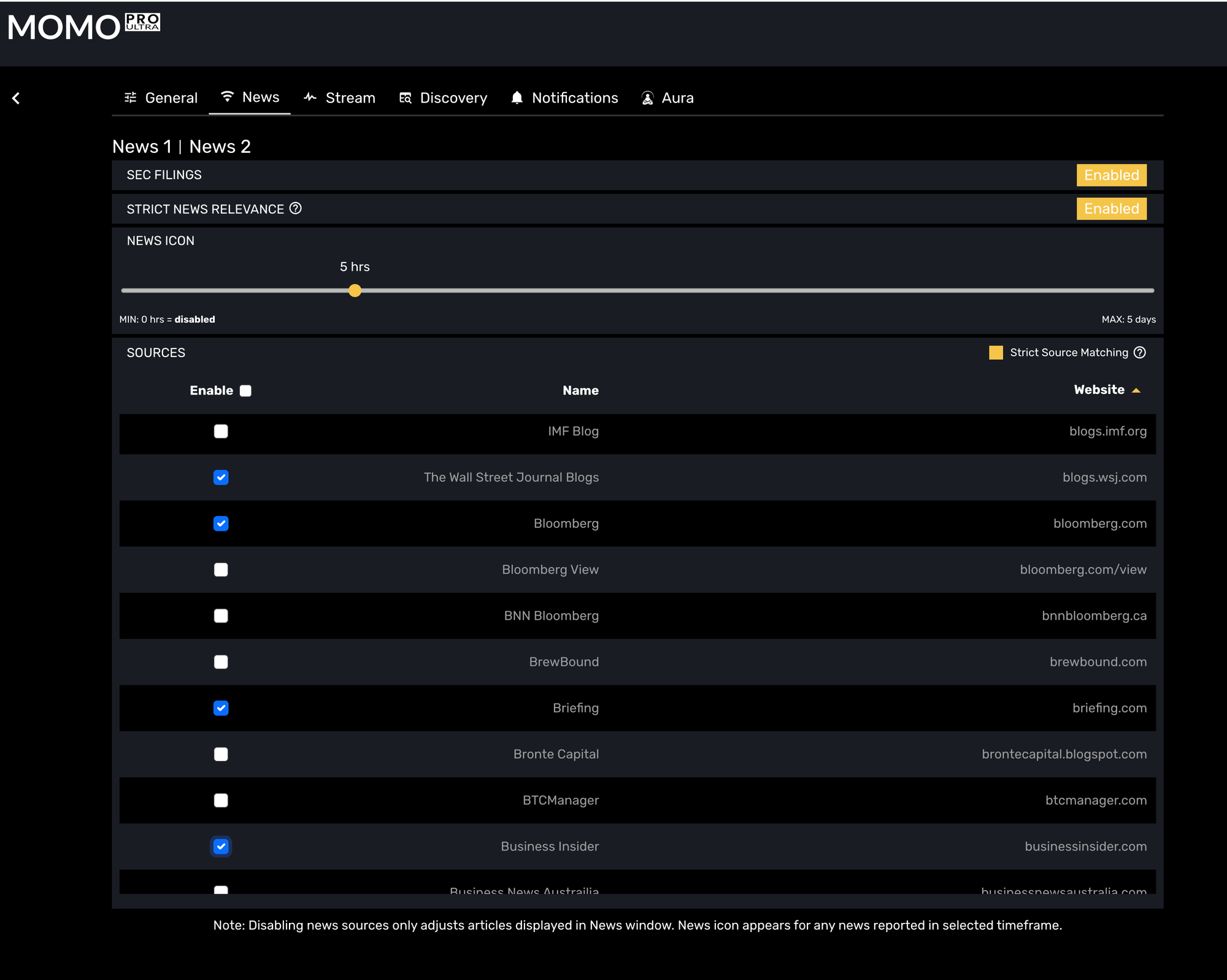
It didn't seem significant at the time to me. The News icon display functionality was a big feature for me, but nobody ever mentioned it either way – until it didn't work the way they though it should that is. Several traders pointed this out directly, and they were right. The News icon needed to work based on user settings. We have now resolved that issue. It was a tough one too - probably 10x more complex than I imagined.
The News icon now syncs with your selected news sources. If you disable a source in the News settings, that source no longer contributes to the News icon. If you enable a source, it can contribute to both the News window and the dashboard-level News icon. This makes the icon more trustworthy because it now reflects the sources you actually care about, rather than simply reacting to all available news in the timeframe.
As part of this work, we also revisited the prior “symbol limit per article” setting. That option was useful, but it was ultimately a workaround. Some publishers attach many symbols to articles for distribution purposes, even when those companies are only loosely related to the article. Limiting the number of symbols per article helped reduce noise, but it did not directly solve the underlying issue: whether the article was truly relevant to the symbol.
That logic has now been replaced with Strict News Relevance.
When Strict News Relevance is enabled, the News Router evaluates the article headline and summary to determine whether the stock symbol or company name is explicitly mentioned. If the article does not mention the symbol or company name, it will not be associated with that symbol and will not trigger the News icon for that stock.
This is a more direct and accurate approach. Instead of trying to infer relevance from how many symbols a publisher attached to an article, MOMO Pro now looks at whether the article itself actually references the company. This helps reduce metadata spam, broad market tagging, and articles that are distributed across many unrelated symbols.
The practical benefit is that users can now be more confident adding peripheral or breaking-news-oriented sources. Previously, adding more sources could increase noise because aggressive publisher tagging could cause unrelated articles to appear for symbols that were not truly discussed. With Strict News Relevance enabled, those sources become more usable because the relevance filter is applied at the article level. We are pretty sure we are unique in offering this and think you will think it is awesome.
We also improved the speed of symbol-level news access from the dashboard. Clicking a symbol in MOMO Pro now launches the related news almost instantly. Previously, this could take a couple of seconds, which was not ideal when reviewing a fast-moving stock or trying to quickly validate whether price action was connected to a catalyst.
Together, these changes make the News workflow cleaner and more reliable. The News icon now better reflects your selected sources, Strict News Relevance reduces irrelevant symbol associations, and dashboard news access is faster.
News is only useful when it is timely, relevant, and easy to verify. These updates should make the news extremely trustworthy as well as improve your decisiveness.
Sorry we didn't get it right the first time.
Brent @ Mometic